Unique key per room
Every room gets its own secret key, made in your browser and carried only in the invite link. Without the full link, the room is just scrambled data.
End-to-end encrypted · No sign-up
Anonymous. No sign-up. Spin up an encrypted room, share a private link with up to 4 people, and talk freely. When the chat ends, the room disappears for everyone.
Your room · live preview
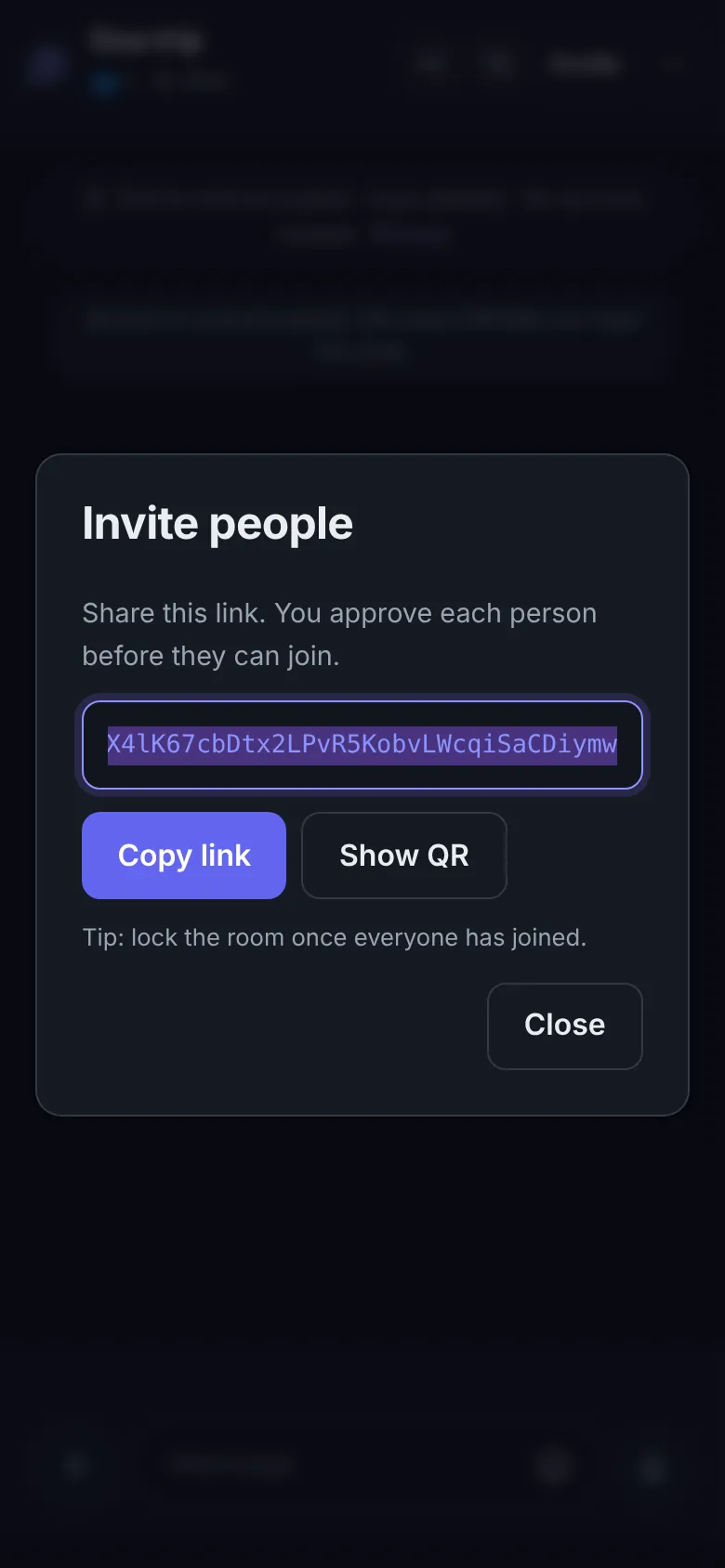
Copy the link or show a QR code. Anyone with it can ask to join from any browser: nothing to install, no account, no number.
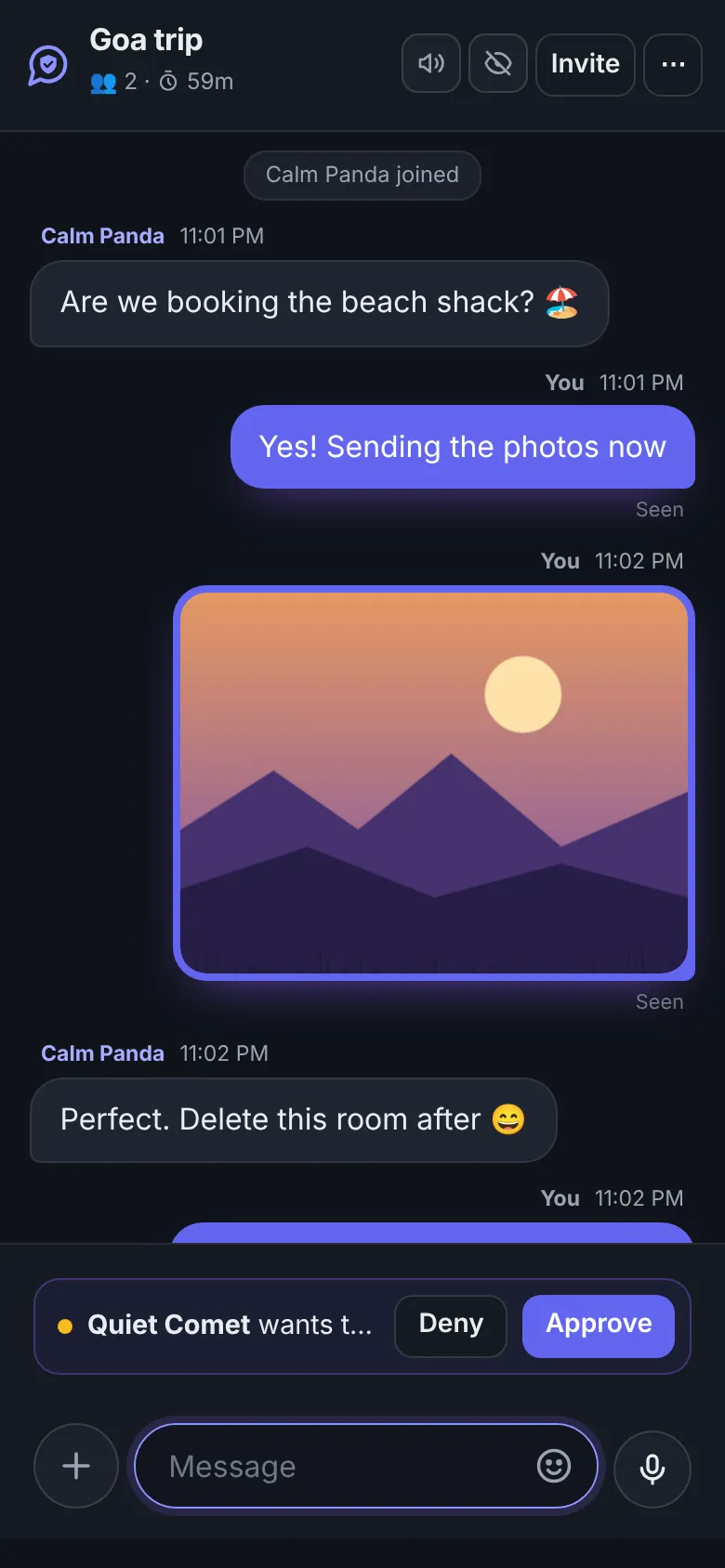
Someone opens your link and you see the name they picked. Approve or deny with one tap, lock the room once everyone is in, replace the link or remove anyone.
How it works
Name your room, set a limit and a self-destruct timer.
Send the private link. Revoke or replace it any time.
Messages, photos, videos and documents, end-to-end encrypted.
End it, let it expire, or just leave. Access is gone everywhere.
Security by design
Every room gets its own secret key, made in your browser and carried only in the invite link. Without the full link, the room is just scrambled data.
When a room ends, every open tab loses access at once. Old links and refreshes show nothing.
Approve each person or set a password. Lock the room, replace the link and remove anyone instantly.
No account, no email, no phone number. Pick any name, or get a random one.
Photos are cleaned on your phone to remove hidden location data before they're sent. Risky file types are blocked.
Rate limits, one-tap reporting and a 2FA-secured safety team keep rooms safe.
Made for moments
Plan a birthday or a trip with friends, without a group that stays in everyone's phone.
Talk to a buyer or seller and agree on a deal, without handing over your phone number.
Send an ID, a form or a contract to your CA or lawyer. When the room ends, the file is gone.
Pull in a freelancer or a client for one discussion, without adding them to your work chats.
Temporary or saved?
| Temporary Room | Saved Room | |
|---|---|---|
| Account needed | None | Just a username |
| How people join | Open the link | Add their username |
| Messages | Deleted when the room ends | Kept until you delete them |
| Room lasts | 15 minutes to 24 hours | As long as you want |
| Best for | One-time talks | Friends and family |
Good to know
No. There is no sign-up, no email and no phone number. Create a room, pick any display name or use a random one, and share the link.
Each free room holds up to 5 people, including you. You can lock the room once everyone is in.
You choose when you create it: 15 minutes, 1 hour, 6 hours or 24 hours. You can also end the chat for everyone at any time.
Everyone loses access immediately, on every device. The invite link stops working and the messages are no longer shown to anyone in the room.
Yes, end-to-end. Your browser makes the room key and keeps it in the invite link, after the #, which is never sent to our server. Messages and files are locked on your device before they are sent, so not even DiffWeb can read them. Rooms are deleted automatically.
Yes. You can send photos, videos and documents. Photos are rebuilt to remove hidden location data, and dangerous file types are blocked.
Yes. Choose a link like diffweb.com/r/your-room. Without a password, you approve each person before they can join.
Yes. Creating and joining private chat rooms is free.
Ready when you are
Name it, set the timer, share the link. That's all it takes.
Get the DiffWeb app on your iPhoneTap Share below, then Add to Home Screen. It opens like an app, with notifications and app lock.